Off-Market Listings
Share a listing privately.
Give an off‑market home a private page, and send it to the buyers you choose, with your seller's OK.
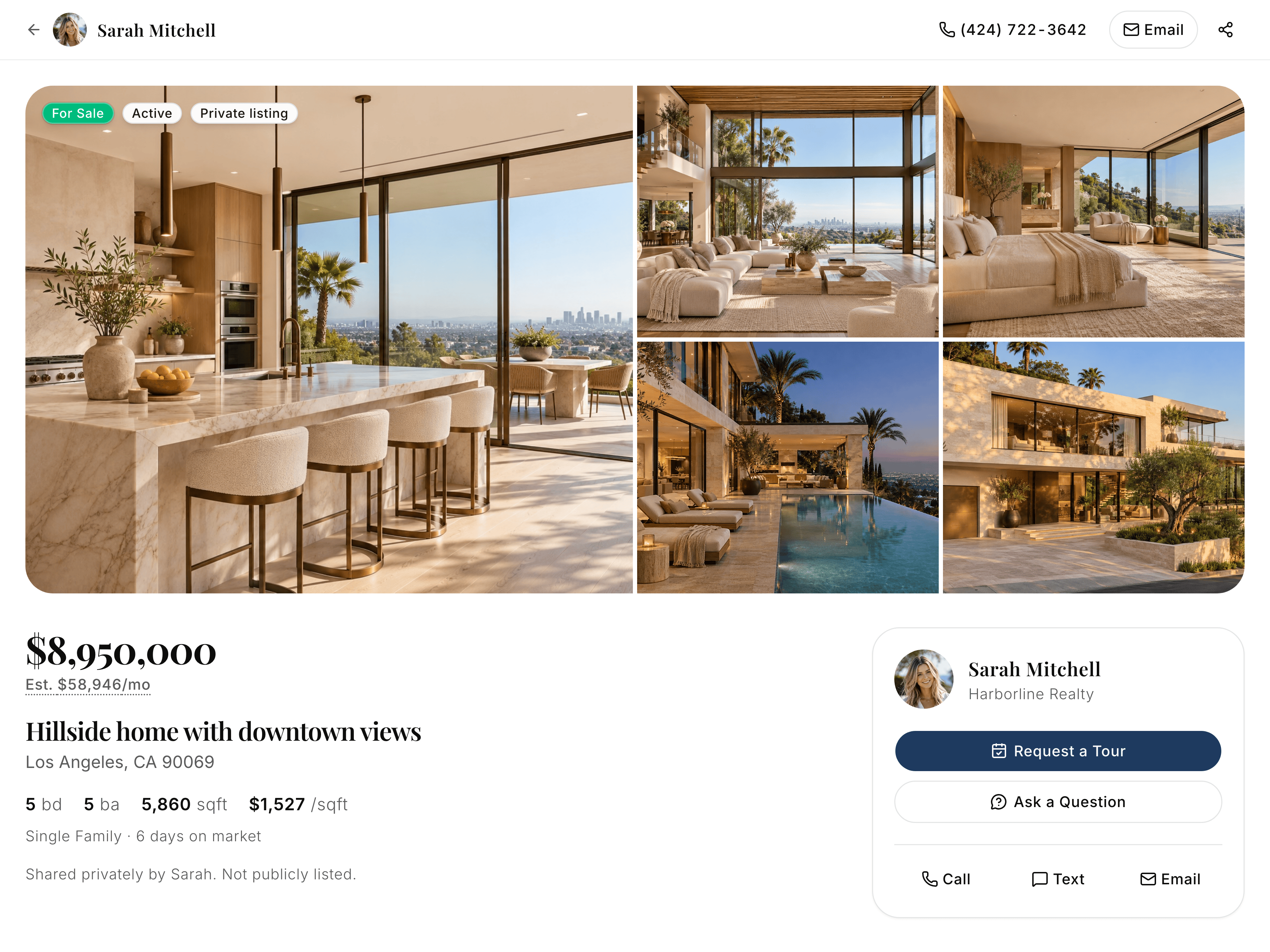
Choose who sees each listing.
Set a listing to Private link and it comes off your site. Hide the street address too, and the page shows the city, not the street.
Private link
It leaves your site and search engines, and opens for anyone who has the link.
Undisclosed address
Visitors see the city, state, and ZIP, not the street. The link leaves the street out too.
Copy the link or the QR code
Send it however you talk to buyers and agents.
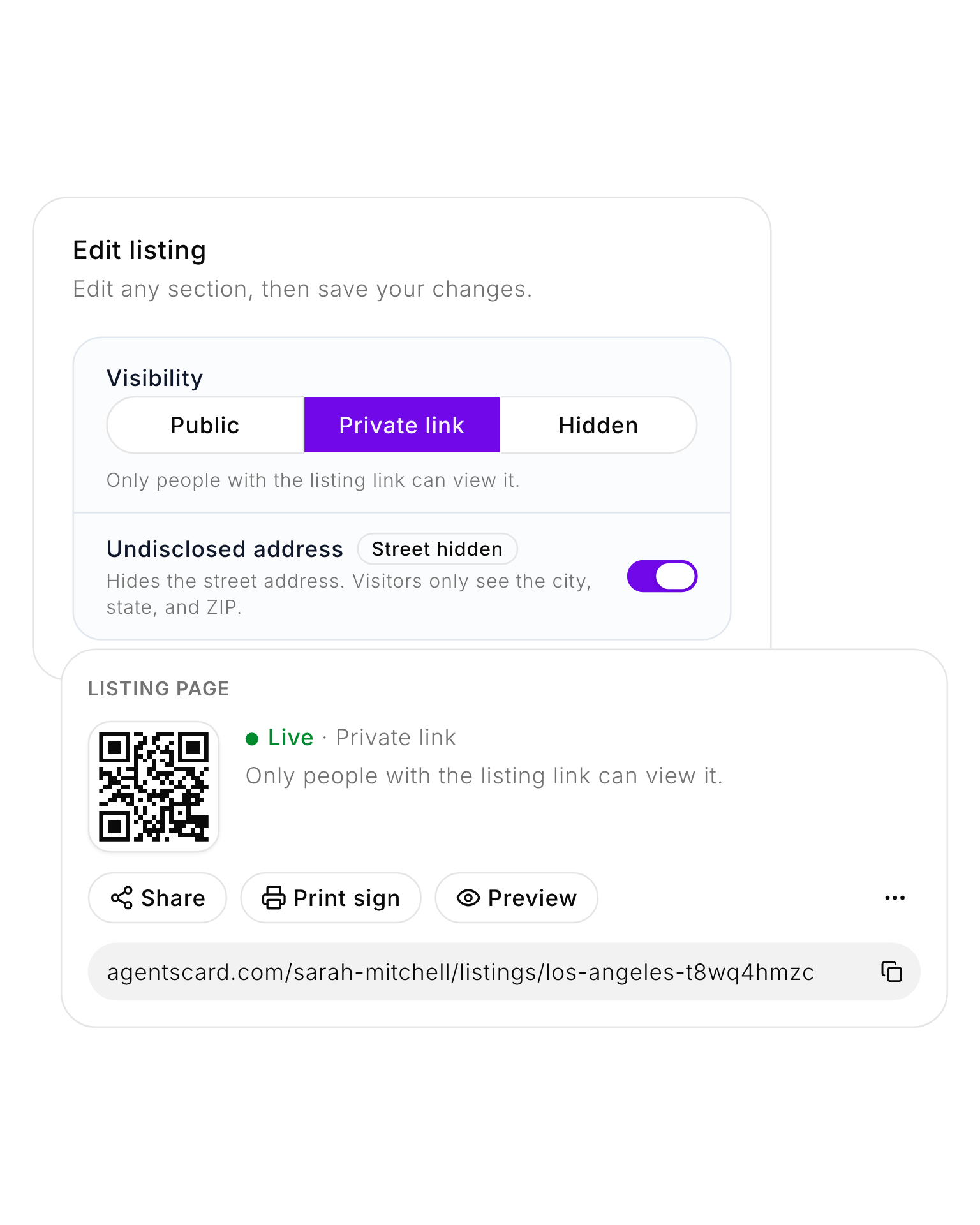
Text it to the buyers you pick.
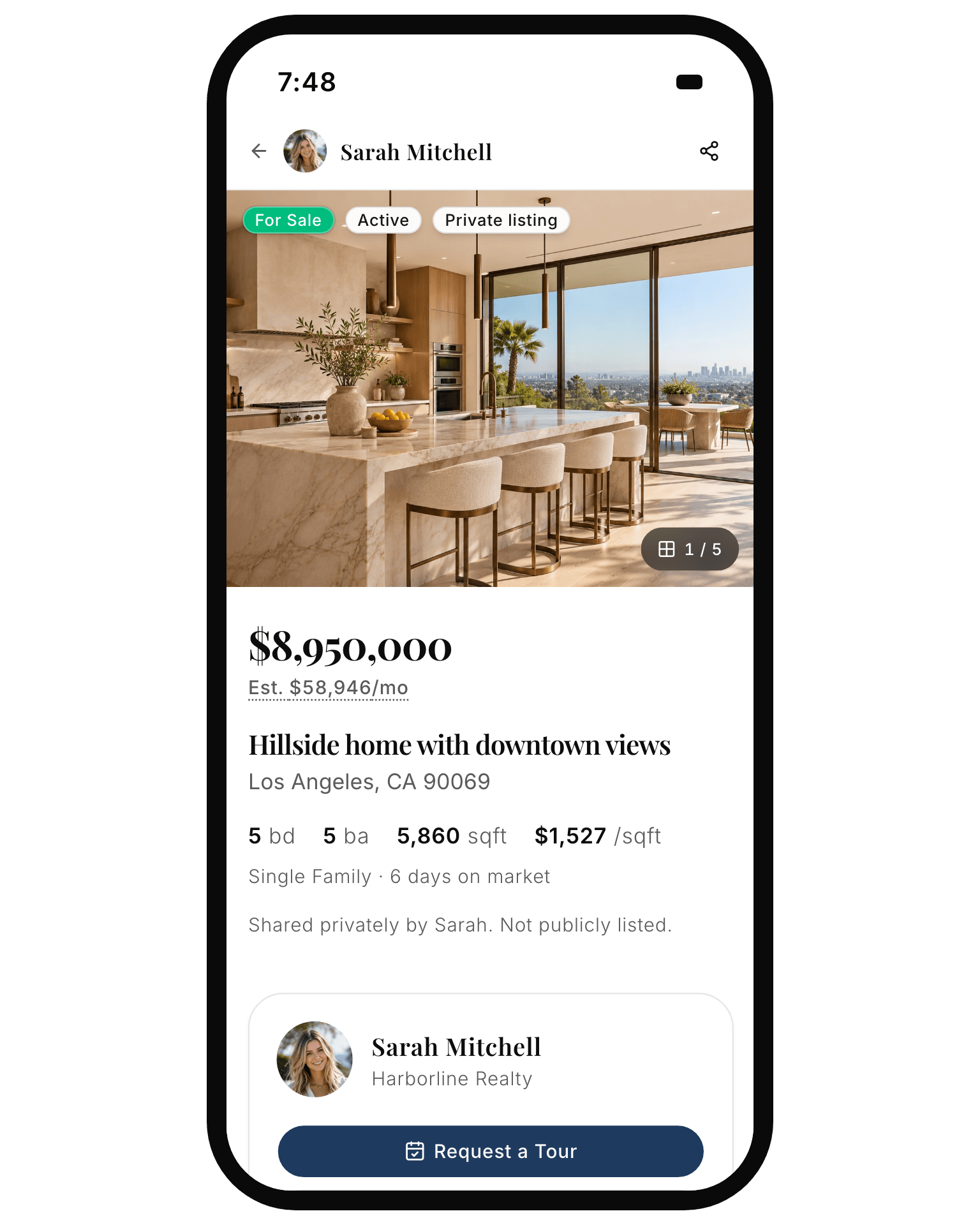
Send the link to a buyer or their agent. It shows up with a photo and the price, and with the address hidden, the preview leaves the street out.
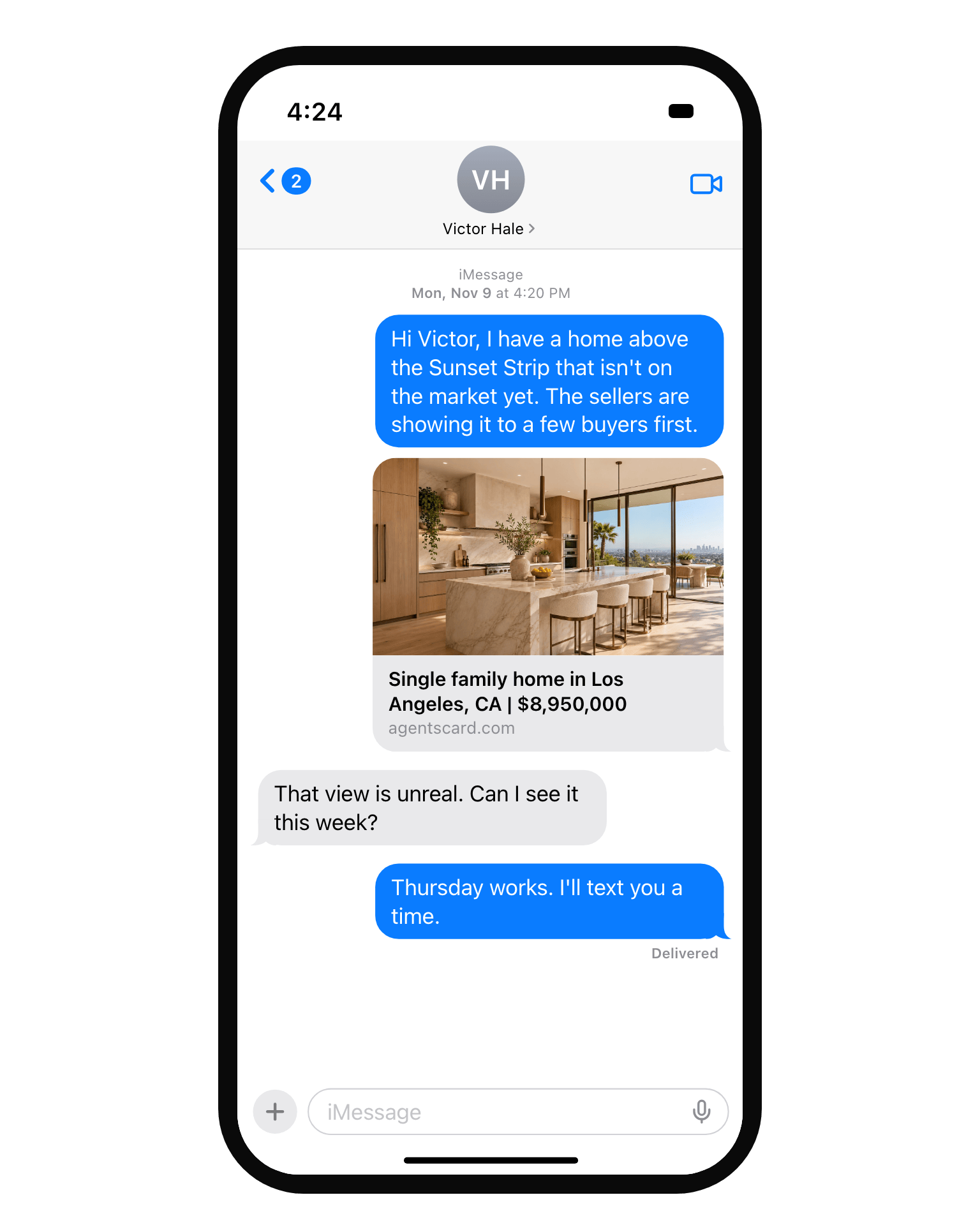
What your buyer sees.
A full listing page with photos, the price, and the monthly payment. It says you shared it privately and that it isn't publicly listed.
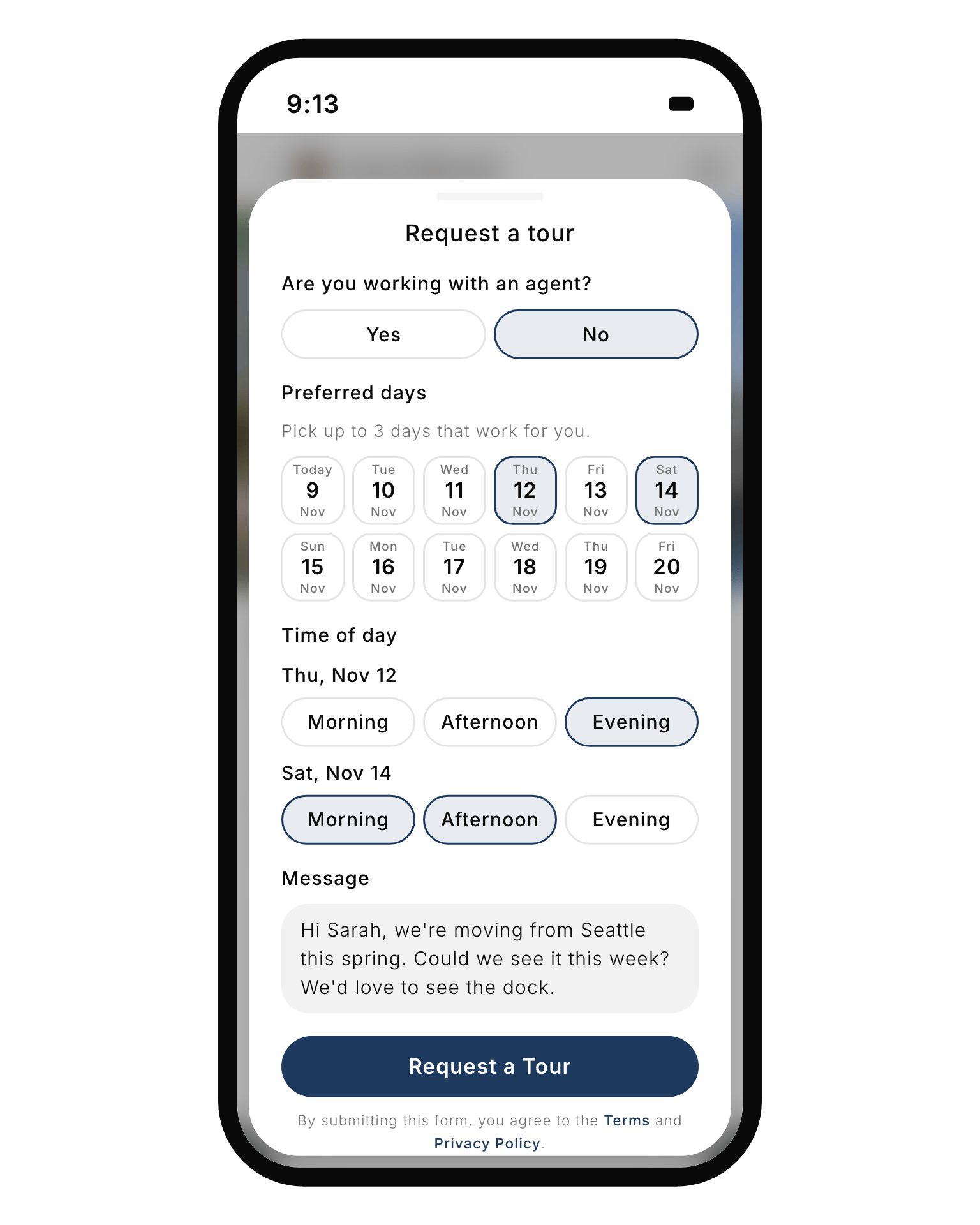
Request a Tour
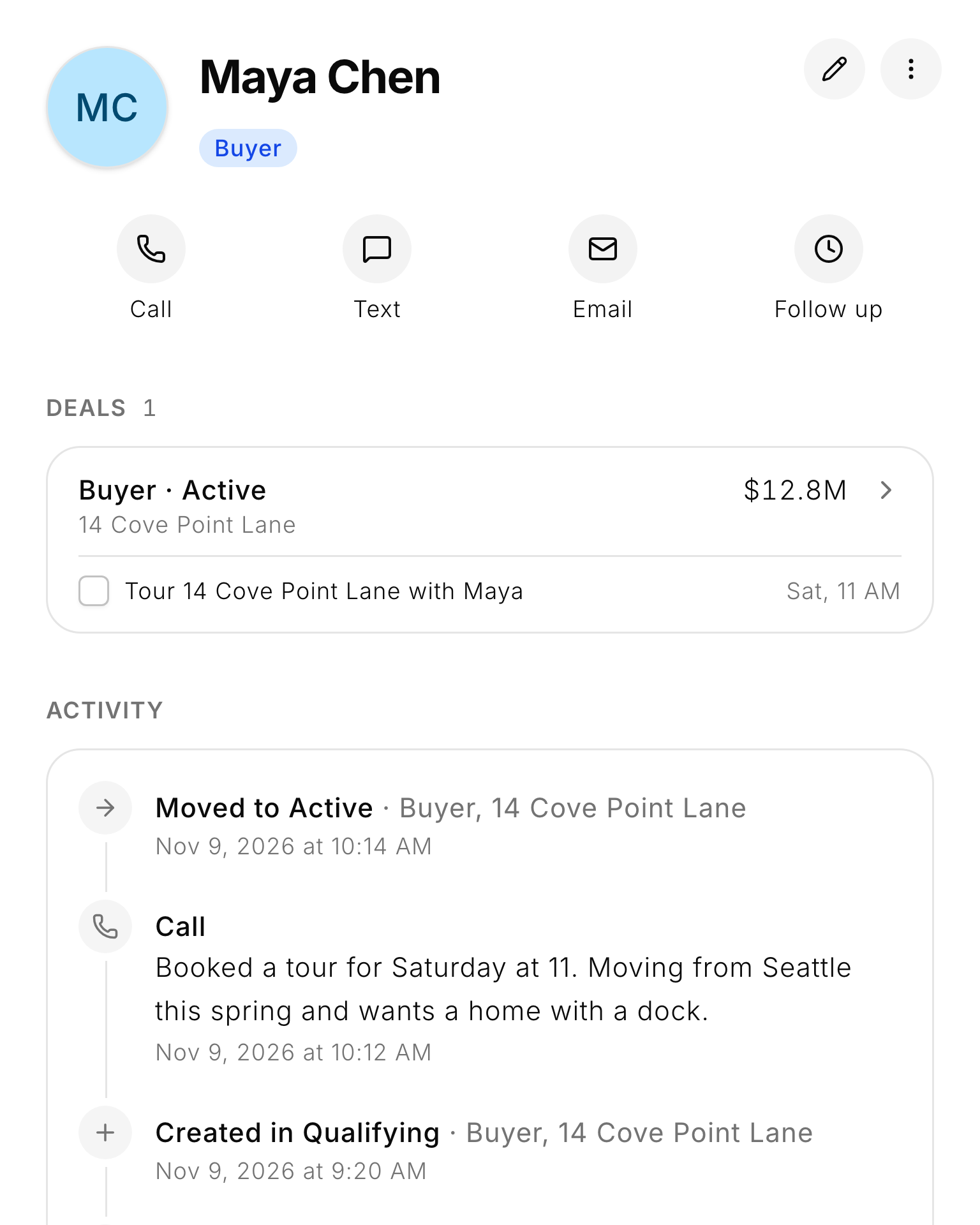
Tour requests land in your inbox like any other lead.
Call, text, or email
You're one tap away on the page.
Off‑market, by the rules.
Sharing a listing privately is your seller's choice, within your MLS's rules. Check with your broker before you share.
Your seller's signed consent
Get your seller's OK in writing before you share a listing off‑market.
Your MLS's rules
Follow your MLS's rules for sharing a listing off‑market. They vary from one MLS to the next.
One person at a time
Send the link one to one, and ask people not to pass it on. Anyone with the link can open the page.
Works with the rest of AgentsCard.
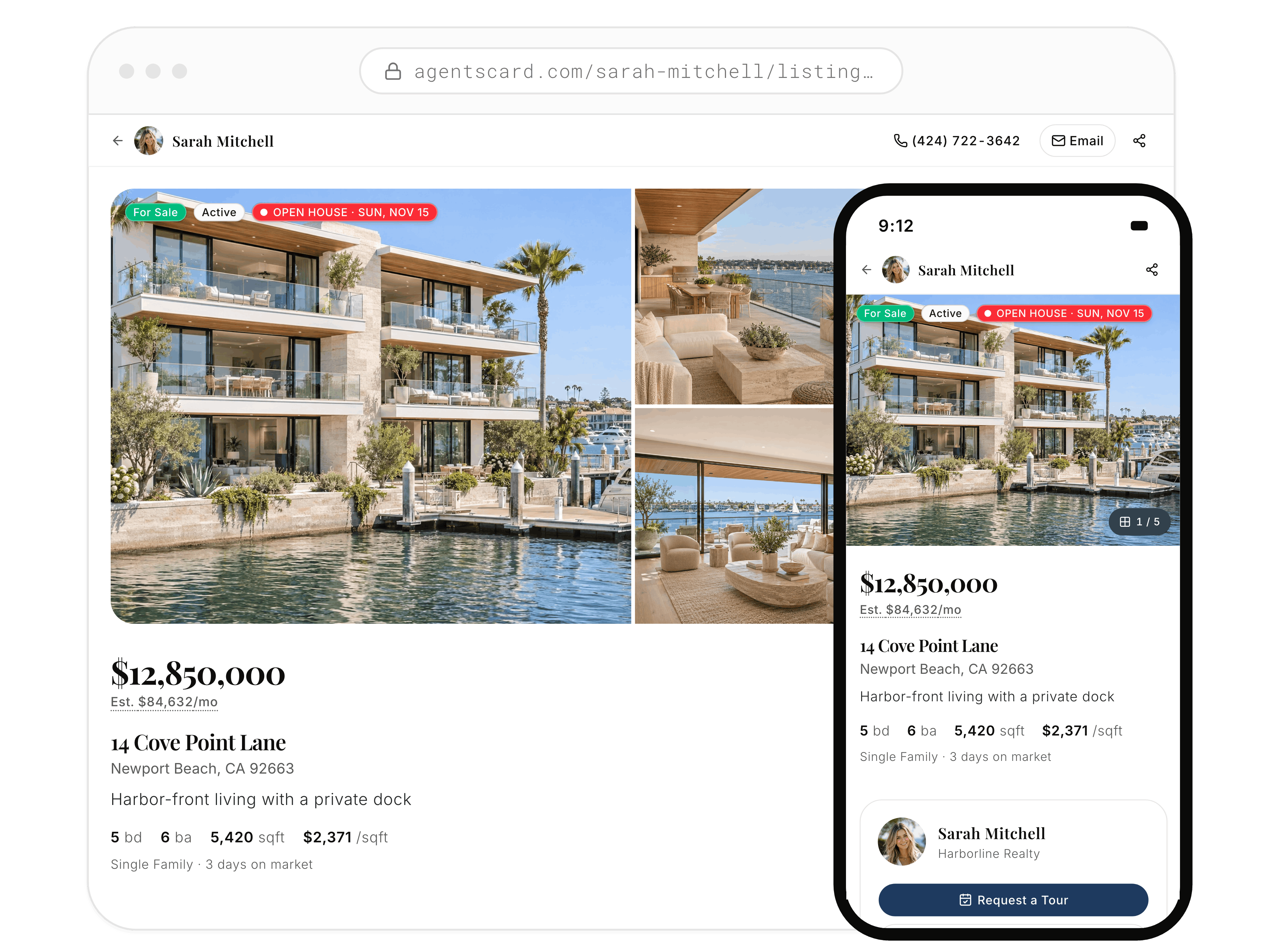
A private listing is still a full listing page, and every tour request comes to you.
Private listing questions, answered.
A home for sale that isn't marketed to the public, often because the seller wants privacy. How you can share it depends on your seller's consent and your MLS's rules.
Anyone you send the link to. The page isn't on your site or in search engines, but a link can be passed on, so share it one to one and ask people to keep it to themselves.
Yes. Turn on Undisclosed address and the page shows the city, state, and ZIP instead of the street. Its link leaves the street out too.
Yes. The page says you shared it privately and that it isn't publicly listed.
Yes. Switch it to Public and it shows on your site like any other listing.
Share a listing on your seller's terms.
Public, private, or hidden, every listing gets its own page. Start free for 14 days.