The 30-Minute AI Visibility Audit for Real Estate Agents
Review the public signals AI assistants may use with 10 practical checks, a 20-point scorecard, and a clear order for deciding what to fix first.
By Rajwinder Mahal
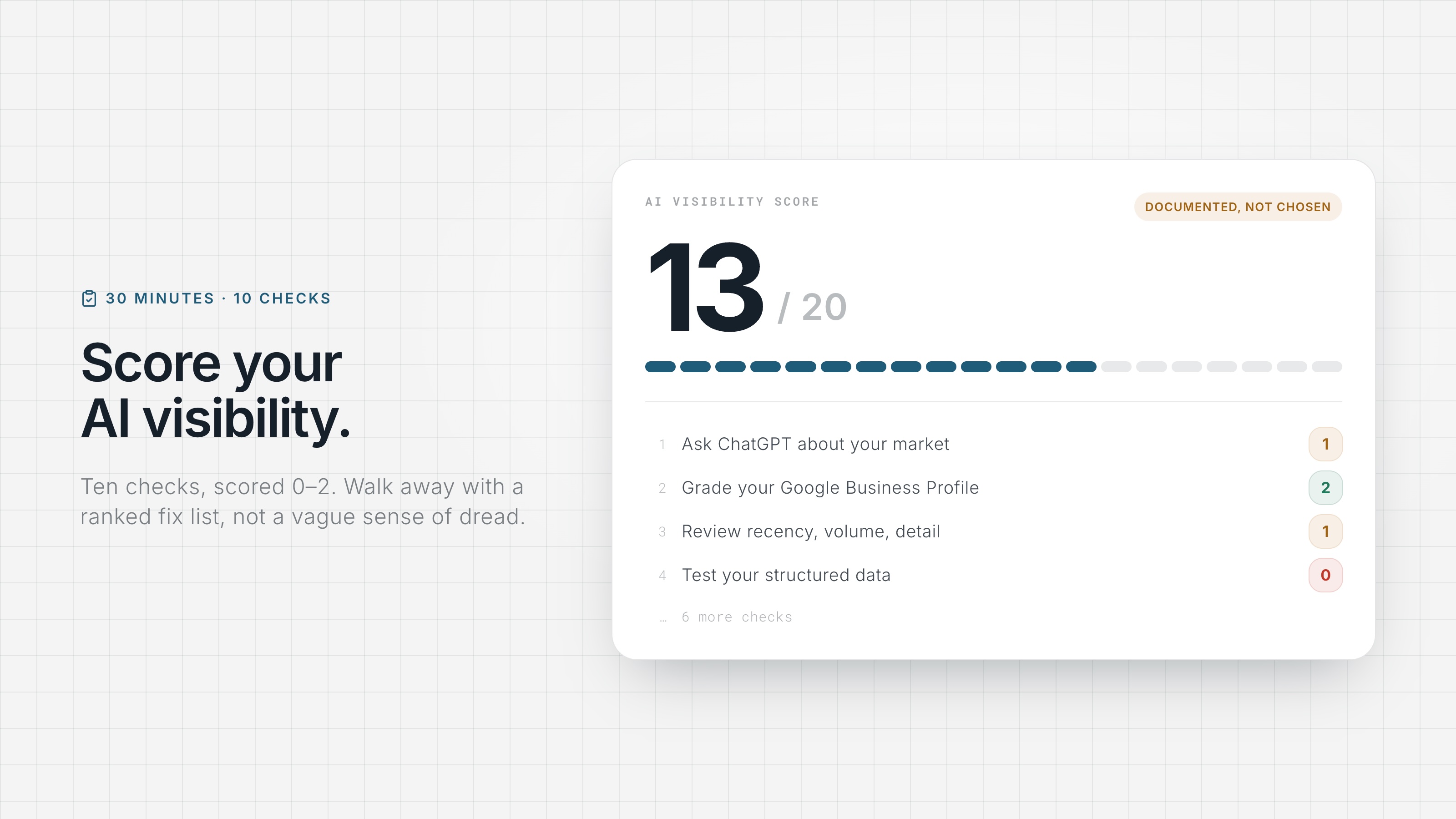
When a buyer asks an AI assistant or Google about real estate agents in your market, can it find accurate, current information about you? This 30-minute audit helps you check. You'll run 10 tests, score each from 0 to 2, and use the results to choose a practical starting point.
You need a private browser window, a timer, and an honest view of your public presence. BrightLocal's Local Consumer Review Survey 2026 found that 45% of consumers use generative AI tools for local business recommendations. The audience is real, but the scorecard is a self-assessment, not a replica of any platform's ranking system.
How does the scoring work?
Score every step 0, 1, or 2: 0 means a clear gap, 1 means partial or outdated, and 2 means solid. Write down the number and one note explaining it. Use a private window and log out where possible to reduce account-based personalization, while recognizing that location and other context can still affect the result. Score what you can verify on screen, not what you intended to publish.
The audit: 10 checks in 30 minutes
1. Ask ChatGPT about your market (4 min)
Ask: "Who are the best real estate agents in [your city]?" and "I'm a first-time buyer in [your area]. Which local agents should I consider?" Score 2 if you're named in both initial answers, 1 if you appear in one or only after a neutral follow-up, and 0 if you never appear. Note who does get named as a comparison set for later steps. This score records the result of one test; it does not prove why any agent was selected. The full protocol is in our AI recommendation test.
2. Ask AI about you by name (3 min)
Ask: "Tell me about [your name], real estate agent in [your city]." Score 2 if the core facts are accurate, including your brokerage and market. Score 1 if the assistant identifies you but includes stale or unsupported details. Score 0 if it cannot find you or confuses you with someone else. Follow any citations it provides and note which fact needs correction.
3. Repeat both in Gemini and Perplexity (4 min)
Run steps 1 and 2 in at least two more assistants. Score 2 if your results are accurate and consistent across tools, 1 if you are visible in one but absent or inaccurate in another, and 0 if you are absent everywhere. Source choices differ by assistant and query. A gap tells you to inspect the citations and search results each tool used, not to assume one specific cause.
4. Google yourself like a stranger (3 min)
Search "[your name] real estate agent [city]" and "[your name] real estate" in the private window. Score 2 if the first page clearly identifies you and the prominent results are current. Score 1 if stale profiles, an old brokerage, or unrelated people create ambiguity. Score 0 if a prospect would struggle to find the right person. AI tools do not simply copy this page, but some may retrieve the same public sources.
5. Grade your Google Business Profile (3 min)
If you qualify for an individual-practitioner profile under Google's guidelines, open it as a visitor. Score 2 if the applicable fields are complete and current: category, service areas, hours, phone, website, and representative photos, plus posts or Q&A where those features are available and useful. Score 1 if the core facts are correct but the profile is incomplete or stale. Score 0 if major facts are wrong, the profile violates eligibility rules, or an eligible agent relies only on a brokerage profile that does not identify them.
6. Check review recency, volume, and detail (3 min)
Review your feedback on Google and other relevant platforms. Score 2 if the volume is credible for your transaction history, the feedback is reasonably current, and multiple reviews include useful details such as neighborhoods, property types, or services provided. Score 1 if reviews are current but thin, detailed but stale, or concentrated on a profile that is difficult to connect to you. Score 0 if the public record is sparse, outdated, or mostly generic. BrightLocal found that 82% of consumers read AI-generated review summaries, so the underlying review text matters.
7. Audit your identity consistency (3 min)
Open your website, Google profile, Zillow, Realtor.com, and main social bio side by side. Score 2 if your name is clearly recognizable and your brokerage, phone number, and service areas are current across all of them. Score 1 for minor gaps or one outdated field. Score 0 for material conflicts such as a previous brokerage, competing phone numbers, or duplicate profiles. The goal is substantive consistency, not identical punctuation or bio length.
8. Read your website like an answer engine (3 min)
Open your site and try to answer, from the text alone: who is this, where do they work, what do they specialize in, how do I contact them, and what proof is there? Score 2 if a stranger gets all five answers in one minute and the site loads fast on a phone. Score 1 if the facts are there but buried in prose. Score 0 if the answers are not on the page or you do not have a site you own. No site is an automatic 0 because it is the one surface you fully control.
9. Test your structured data (2 min)
Run your homepage through the Schema.org Validator. Score 2 if it finds valid, relevant structured data that matches the visible page, using appropriate types such as Person, Organization, LocalBusiness, or RealEstateAgent. Score 1 if markup exists but is generic, incomplete, or produces warnings that need review. Score 0 if no meaningful structured data is present. FAQPage is optional and should be used only for genuine, visible Q&A content. Valid schema can clarify page meaning, but it does not guarantee a rich result or an AI mention.
10. Compare yourself to the named agents (2 min)
Take two or three names that appeared in steps 1–3 and give them a 60-second version of steps 5–8. Score yourself 2 if your public information is at least as complete and credible, 1 if the gap is modest, and 0 if the difference is clear. This is a local benchmark, not proof that any visible feature caused the assistant's answer.
What does your score mean?
16–20: Strong foundation. Your public presence is generally complete and accurate. Keep reviews and profiles current, continue the monthly spot check, and add useful local content where clients still have unanswered questions.
10–15: Mixed foundation. Some parts are working, but one or more gaps can make you difficult to verify. Start with the lowest-scoring item you control, especially incorrect identity information, an incomplete eligible Business Profile, or a weak review process.
Below 10: Major public gaps. Do not try to fix everything at once. Establish an accurate identity first through steps 5, 7, and 8. Then improve the review process in step 6, followed by useful content and structured data in steps 8 and 9.
Whatever the number, re-run the audit monthly and log it. A stronger score means your public presence improved; it does not guarantee that an assistant will mention you. The reasoning behind each layer is in the full guide to getting found by AI, and the AEO vs SEO breakdown explains how this work fits with your existing SEO.