
25 Practical AI Prompts for Real Estate Agents
Copy-and-paste AI prompts for listing descriptions, follow-ups, social posts, and negotiation prep, plus the compliance boundaries every real estate agent should know.
By Rajwinder Mahal · Updated Jul 23, 2026
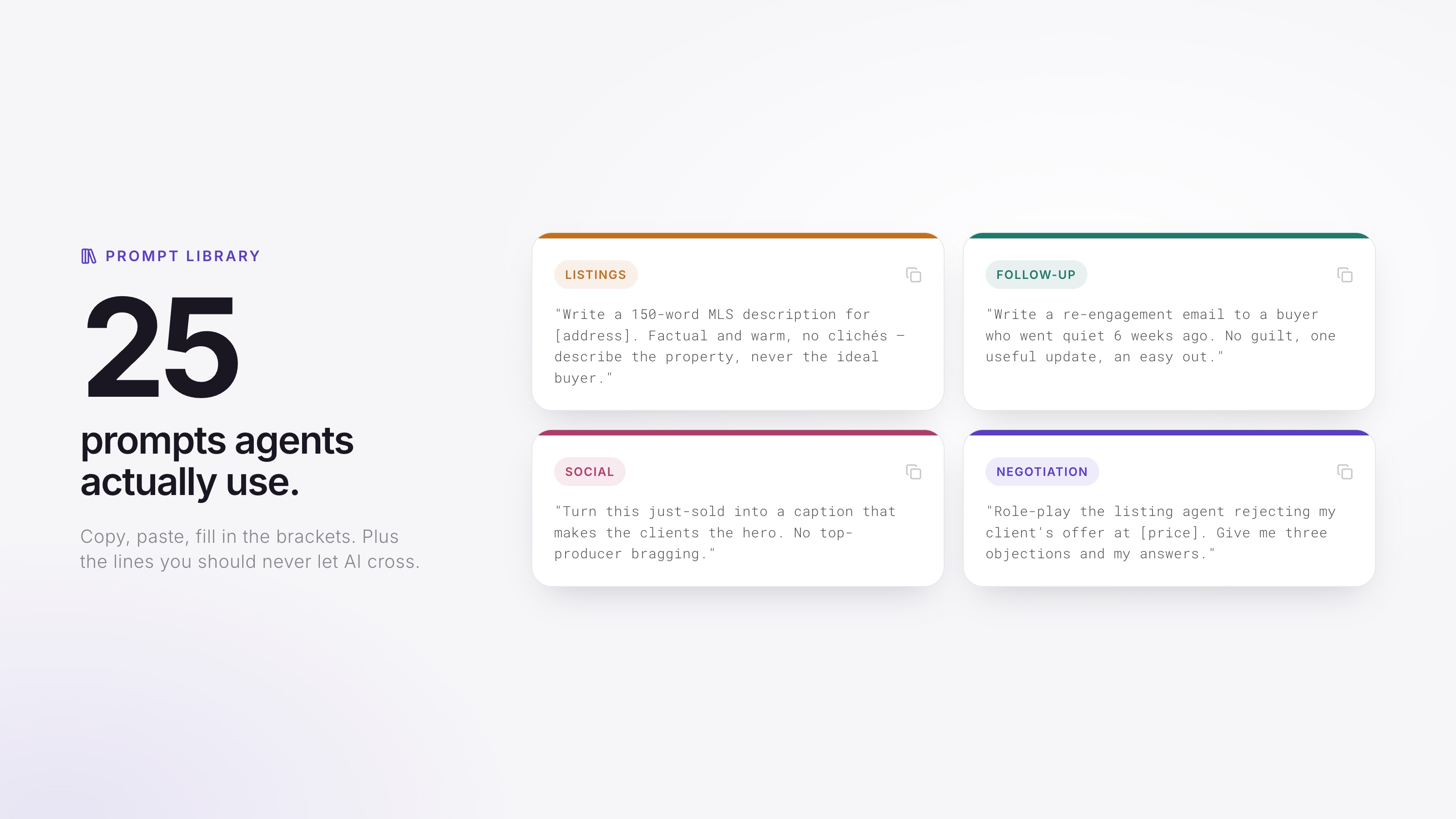
A small prompt library can save time on the writing agents handle every week: listing descriptions, follow-up emails, social posts, and meeting prep. In NAR's 2025 REALTORS® Technology Survey, 42% of members reported using AI daily or weekly, ChatGPT was the most-used AI tool at 58%, and 46% reported using AI-generated content, including listing descriptions.
The 25 prompts below are organized by task. You'll also get two habits that improve the drafts and clear boundaries for work that still requires your judgment, source checking, and compliance review.
How do you get good output from these prompts?
Two rules do most of the work. First, provide the verified facts: square footage, features, dates, and the client's actual question. AI can fill gaps with plausible but incorrect details, which is risky in a listing or client message. Second, give the model context about you, the audience, and the goal. "I'm a real estate agent in [city]; write for a first-time buyer who's concerned about rates" gives it more direction than "write a listing description."
Treat every output as a first draft. You are responsible for the facts, advice, tone, and compliance of anything you publish or send.
Which prompts write listing descriptions?
Write a 150-word MLS listing description for [address]: [beds/baths, sq ft, lot, year built, notable features, recent upgrades, neighborhood]. Keep it factual and warm, with no clichés like 'must see' or 'won't last.' Describe only the property and its features. Do not describe the ideal buyer or who the home is 'perfect for.'
Give me three versions of that description with different leads: one leading with the kitchen renovation, one with the lot and outdoor space, one with the location and commute.
Rewrite this description at an 8th-grade reading level without losing the specifics: [paste].
Turn these raw property features into practical, benefit-focused bullets for a listing flyer: [paste features]. Describe the property, not the type of person who should live there.
Cut this description to fit a [character limit]-character portal limit, keeping the three strongest verified details: [paste].
Note the fair-housing instruction built into prompt 1. The section below explains why that boundary is worth reviewing carefully.
Which prompts handle email and follow-up?
Write a short, warm follow-up text to a buyer who saw [address] today and liked [detail they mentioned]. One question at the end to keep the conversation going.
Write a re-engagement email to a buyer lead who went quiet 6 weeks ago after asking about [neighborhood]. No guilt, one useful update: [paste a real market fact], and an easy out.
Write a 6-month post-closing check-in email to past clients. Warm, no sales pitch, one genuinely useful homeowner reminder for [season].
Help me tell my sellers that the inspection turned up [issue] and the buyers are asking for [request]. Empathetic, factual, and it ends with my recommendation: [your recommendation].
A seller lead says they want to wait until spring to list. Draft a reply that respects the decision, gives one data-backed consideration ([paste your local stat]), and keeps the door open.
Prompts 6–10 are best for one-off messages. If you send the same sequence to every lead, such as a welcome series, nurture campaign, or anniversary touch, a documented workflow or automation will be more consistent than rebuilding each message in a chat window.
Which prompts create social content?
Give me 20 short-form video ideas for a real estate agent in [city] aimed at [buyers/sellers], mixing local knowledge, process education, and personality. No dancing.
Write a 30-second Reel script: hook in the first 2 seconds, three beats, one CTA. Topic: [what $X buys in your city / a local market myth / a process tip].
Outline a 7-slide Instagram carousel titled '[5 things first-time buyers get wrong in [city]].' Use one idea per slide and fewer than 20 words per slide. Make the last slide a soft CTA.
Turn this listing description into: a) an Instagram caption with 5 local hashtags, b) a 15-second video script, c) a 'coming soon' teaser post: [paste].
Write a just-sold post about [property/situation] that centers what the _clients_ accomplished and one thing that made the deal interesting. No bragging, no numbers I haven't given you.
The just-sold playbook has the formats and permission rules this prompt feeds.
Which prompts prep you for negotiations and objections?
Role-play as a seller who thinks their home is worth $[X] when comps support $[Y]. Push back on me realistically for 5 exchanges, then critique my responses.
Summarize these three offers into a one-page comparison for my sellers: [paste redacted terms with names and identifying details removed]. Highlight net proceeds, closing timeline, and material risk differences. Do not infer anything about the buyers. Flag any missing information instead of guessing.
List the 10 most common objections a [buyer/seller] raises about [commission/pricing/timing], with a two-sentence response framework for each. I'll adapt the wording.
Explain [appraisal gap / earnest money / contingency] to a first-time buyer in under 100 words, with one clearly labeled hypothetical example. Keep it educational, note that rules and contract language vary, and tell me what needs verification for my state and forms.
Which prompts handle research and admin?
Here are redacted notes from a listing consult, with names and sensitive details removed: [paste]. Organize them into client goals, property facts, concerns, and my follow-up list. Do not add facts.
Draft the 'market minute' section of my newsletter from these numbers I pulled from my MLS: [paste stats]. Plain English, 120 words, no hype.
This slots straight into the hyperlocal newsletter template.
Create an outline for a [neighborhood] guide page covering housing stock, price bands, commute resources, public amenities, and links to official school information. Keep it objective and avoid describing the type of person or family who belongs there. I'll supply verified data and local context.
The neighborhood guide template covers each section and the fair-housing lines not to cross.
Build me a two-week content calendar mixing 2 listing posts, 2 educational posts, 2 local posts, and 1 personal post. For each, suggest a format, hook, and publishing day that keeps the schedule balanced.
Rewrite my agent bio using only these facts: [years, markets, transaction focus, credentials, one personal detail]. Confident, specific, zero clichés, 120 words.
The real estate agent bio formula and annotated examples give you the fact list and structure worth feeding it.
Summarize this redacted inspection report section in plain English and flag anything a buyer should ask the inspector or another qualified professional about: [paste]. Do not add a diagnosis or recommendation. This is for my own understanding, and I'll verify it against the original.
What should AI never handle on its own?
Any task where an inaccurate or noncompliant answer could materially affect a client, contract, or housing opportunity requires professional review. AI can help draft and organize, but it is not your broker, attorney, inspector, or fiduciary. Keep these boundaries in place:
- Fair housing responsibility stays with you. Do not ask AI to target or screen people based on protected characteristics. Review drafts for language that describes an ideal resident or makes subjective claims about a neighborhood. Describe the property and cite objective, consistently provided sources for local information. When in doubt, follow your brokerage's fair-housing guidance.
- Legal and contract language needs qualified review. A general explanation can help you prepare, but do not let a chatbot draft or modify binding terms outside your approved forms and professional guidance.
- Unverified facts do not belong in client-facing copy. Models can produce plausible but incorrect square footage, school assignments, tax figures, and market statistics. Trace every material claim to an authoritative source.
- Client confidences require approved data handling. Product retention and training policies vary. Do not paste identifying information, financial details, negotiation positions, or personal circumstances into a tool unless your brokerage has approved the product and settings. Redact or abstract the situation first.
- Personal communication still needs to sound personal. Use AI to get past the blank page, then add the detail, judgment, and tone that show you understand the client.
When is copy-paste prompting the wrong tool?
Copy-and-paste prompting becomes inefficient when the job is a repeatable system rather than a single document. You should not have to rebuild the same post-showing message or past-client check-in every month. A CRM workflow, review-request sequence, or scheduled nurture plan can handle the cadence while you review the content and step in personally when needed.
AgentsCard brings your profile, reviews, and follow-up tools into a system that does not depend on an open chat window. The same distinction applies to visibility: prompts can help draft one neighborhood page, while your broader public presence includes reviews, profiles, useful content, and structured business information. Start with the guide to getting found by AI, then audit where you stand and use the AI recommendation test as a recurring spot check.